What’s the Difference Between Bake, Broil, and Roast on a Samsung Oven?
When it comes to cooking on a Samsung stove, understanding the different settings can make a huge difference in the quality of your meals. The Roast program is highly regarded for its ability to cook meat and vegetables evenly while locking in moisture for a tender and juicy result. But what sets Roast apart from the Bake and Broil settings? Let's explore!
For instance, using the Bake function for roasting meats like chicken or beef may not give you the best results. While Bake works well for baking goods like cakes and pizza, it may leave your meat unevenly cooked—dry on the outside and undercooked on the inside. For these meats, the Roast setting is your best option. It ensures that the temperature remains consistent, giving your roast that perfect golden brown exterior while keeping the inside juicy and tender.
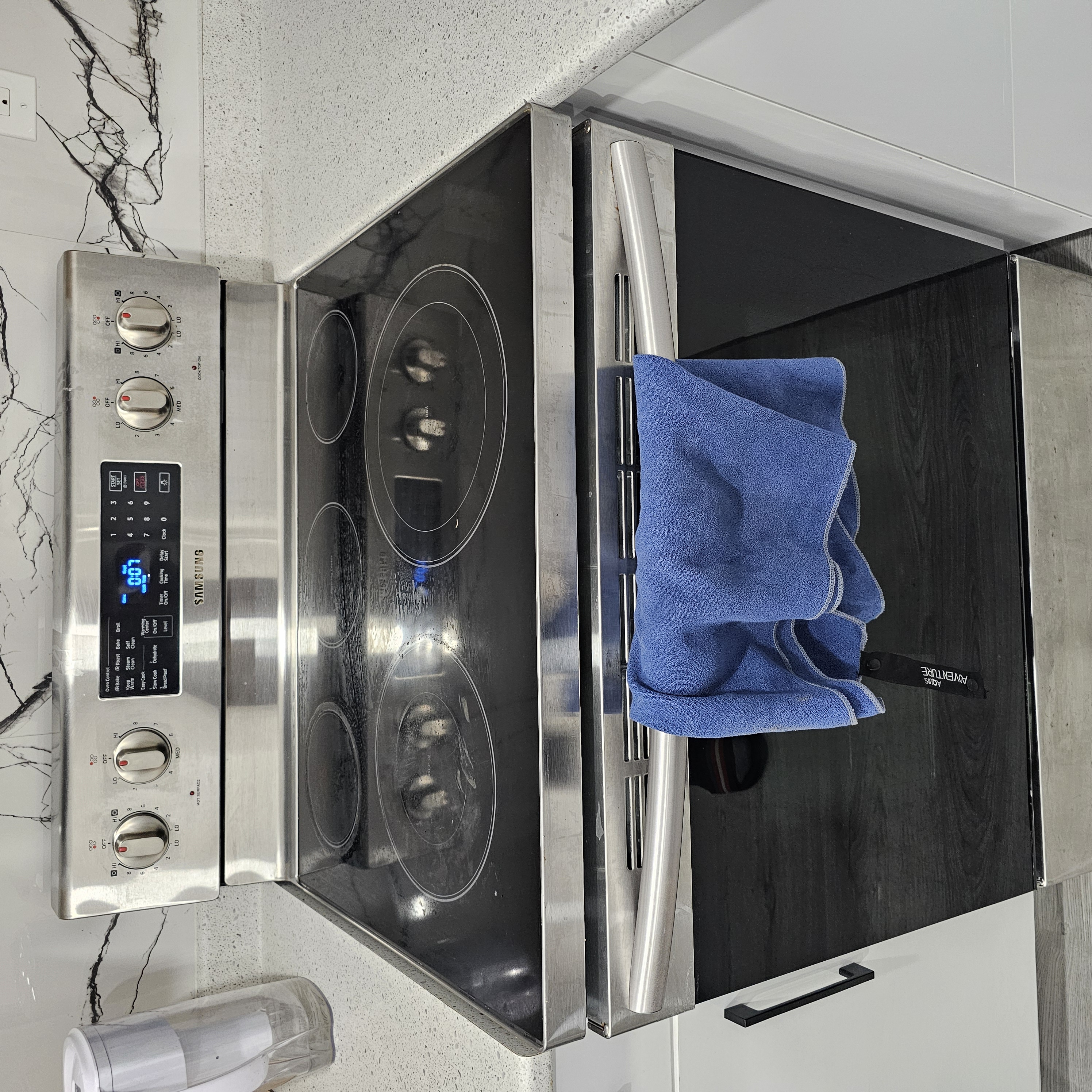
Understanding the Broil Program on a Samsung Stove
The Broil program is perfect for achieving a golden, crispy finish on foods like chicken, beef, or vegetables. It works by using high heat from the top element, making it ideal for quick cooking or browning. Whether you're looking to crisp up the top of a roast or caramelize the surface of meat, Broil gives you that beautiful finish in minutes. For example, you can use Broil after roasting to add a crispy, golden-brown layer to your roast chicken or beef.
How to Use the Roast Program on a Samsung Oven
The Roast program is the go-to option for cooking meats like turkey, beef, and pork ribs. These cuts require high, consistent heat to cook evenly throughout, especially when they have thick bones. For example, if you’re cooking a 2-3 kg roast, setting your Samsung oven to Roast will allow the meat to cook at the perfect temperature of 400°F (about 200°C) for approximately 2 to 2.5 hours.
When you press the Roast button on your Samsung stove, the internal fans and heating elements work together to circulate hot air evenly around the meat. This ensures quick and even cooking, locking in the natural juices and flavors. The result is a perfectly roasted piece of meat that stays moist and tender. You can also wrap the meat in foil for a slightly slower cook, ensuring it remains juicy throughout the process.
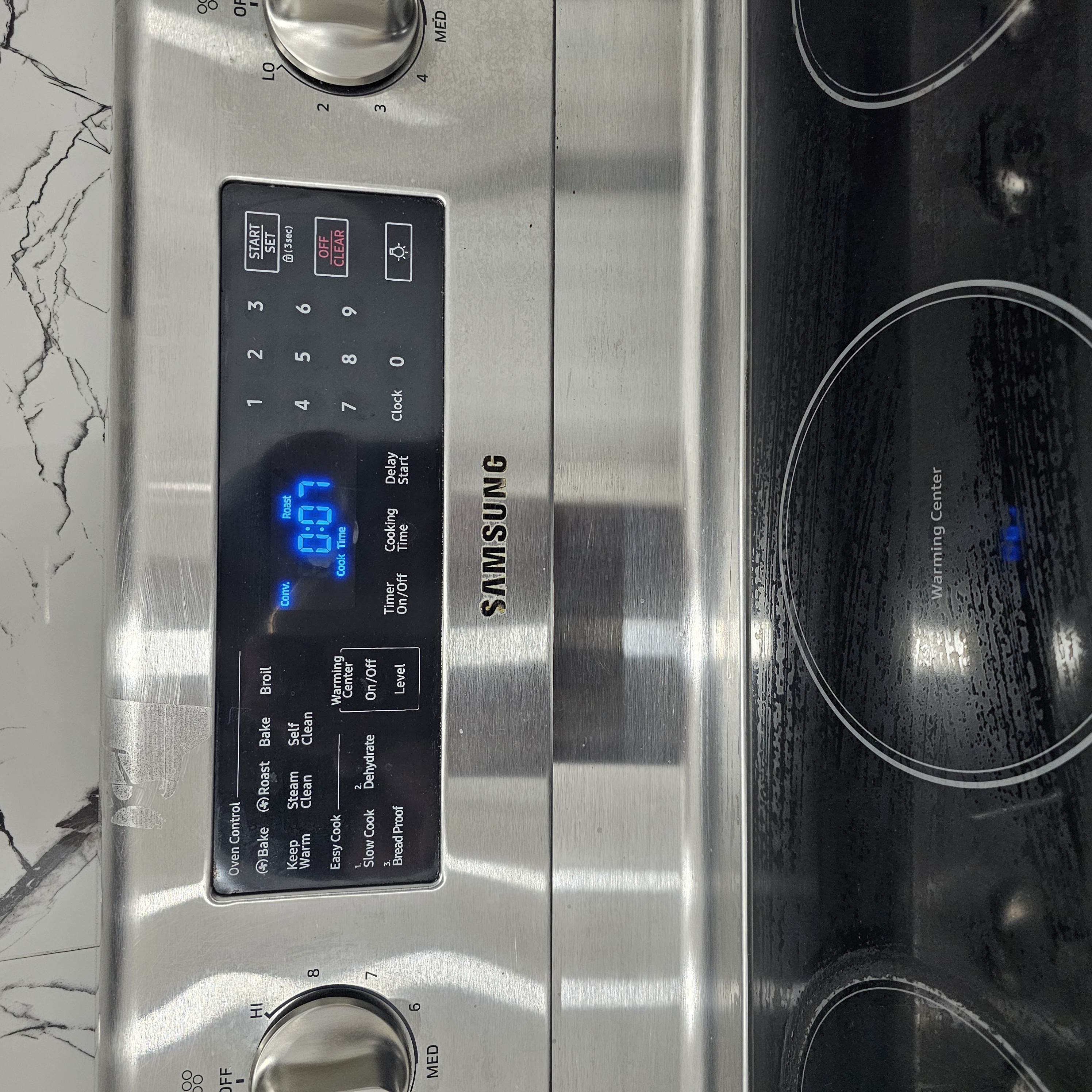
Cooking Tip for Extra Juicy Meat
Once your roast is done cooking with the Roast program, here’s a tasty tip to take it to the next level. Remove the foil and switch to the Broil program for 5 minutes. This will give your roast a perfectly crisp, caramelized outer layer while keeping the interior tender and juicy—just the way you like it!